Guide · Kander
Run Kander from your phone
Kander runs several coding agents in parallel on your computer, each in its own terminal. QuickTUI opens those terminals on iPhone, iPad or Android, so you can check progress, answer an agent and start the next task while you are away.
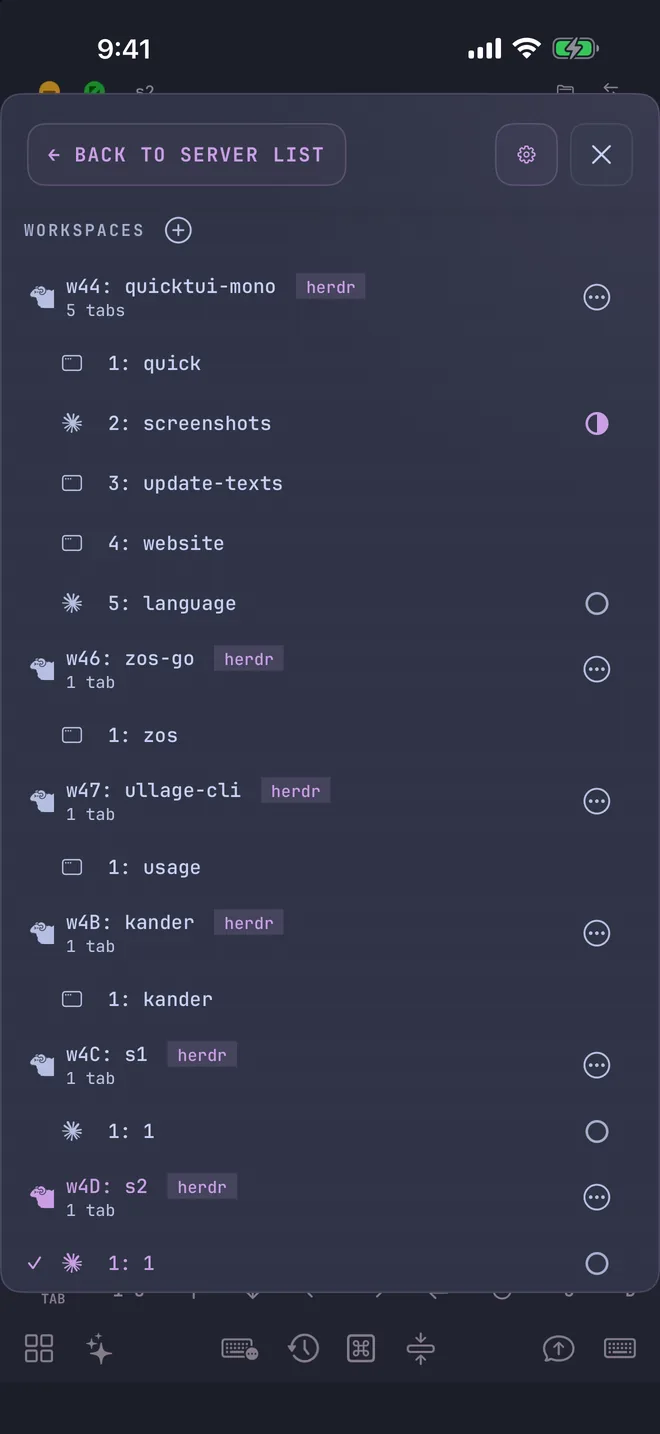
How it works
There is no dedicated integration between Kander and QuickTUI, and none is needed. When Kander starts a task from inside a terminal workspace, it opens a new terminal for that task in the same place. QuickTUI shows that terminal like any other session.
| Where you run Kander | Where each task opens | What the app shows |
|---|---|---|
| Herdr workspace | A new tab in the workspace | A Session |
| tmux session | A new window in the session | A Session |
The status icon next to a session shows whether its agent is working, blocked, done or idle, so you can see which one needs you. Status comes from the hooks the QuickTUI installer adds to each agent; see the FAQ if an icon is missing. When you run inside both Herdr and tmux, Kander's auto launcher chooses Herdr.
Set up Kander and QuickTUI
- Install Kander on your computer and run
kanderonce to finish its setup wizard. See Install Kander. - On your phone, install QuickTUI: from the App Store for iPhone and iPad, or the Android app (Preview).
- On a Mac or Linux computer, choose Connect Over SSH — Enable Enhanced Features (Recommended) in the app's setup wizard, enter your computer's SSH login and tap Install. If your computer has neither tmux nor Herdr, the installer installs Herdr. See the install guide for other ways to pair.
- On Windows, install Herdr, get QuickTUI Server from Microsoft Store, open it from the Start menu and scan the QR code it shows. See Windows in the install guide.
Start tasks from your phone
- Open the Agent Wizard in the app and start an agent in your project folder. QuickTUI starts it in a tmux window or a Herdr tab.
- Discuss the task with the agent until the goal and acceptance criteria are clear.
- Confirm the task. With Kander's rules loaded, the agent creates the card and starts it, and a new session appears in the app for that task.
- Repeat for each task. Each one runs in its own git worktree and session.
Windows: sessions on Windows run in Herdr, and Kander's default launcher there is console. Choose Herdr with kander start --launcher herdr <task-id>.
Check progress
- Open the board
- Run
kanderin a session to open the terminal board. Press/to filter cards. - Use the narrow list
- Run
kander list --mobilefor a layout that fits a phone screen. Add a state to narrow it, such askander list --mobile working. - Ask an agent
- Ask an agent with Kander's rules loaded for the status of any unfinished card.
Step in when an agent needs you
With notifications on, you know which agent needs you without opening the app. Open the task's session in the app. It is a real terminal, so you can read the output, answer a prompt or type a new instruction. Closing the app does not stop the agents; they keep running on your computer.
To hand a card to a different agent, stop the agent working on it and ask a new agent to take over the card. Copy the task ID from the board with y.
FAQ
Does Kander run on my phone?
No. Kander and the agents run on your computer. QuickTUI gives your phone a terminal connected to them.
Do tasks keep running if I close the app?
Yes. They run in tmux or Herdr on your computer, so closing the app does not stop them.
Can I use tmux instead of Herdr?
Yes, on macOS and Linux. Start the first agent inside a tmux session, and Kander opens each task as a new window in that session.
How much does it cost?
Kander is open source. On iPhone and iPad, QuickTUI is free to download and the free version connects to one computer; QuickTUI Pro is a one-time purchase that unlocks unlimited computers. The Android app (Preview) includes every feature for free during the preview.