Guide · iPad
Remote development from iPad (2026 guide)
The practical approach to iPad-based software development is keeping code, build toolchains, and AI agents on a dedicated workstation while utilizing the iPad as an ultra-portable display and keyboard. QuickTUI provides a responsive, native terminal into your remote machine, complete with file management, dev-server port forwarding with an embedded browser, and one-tap agent launching.
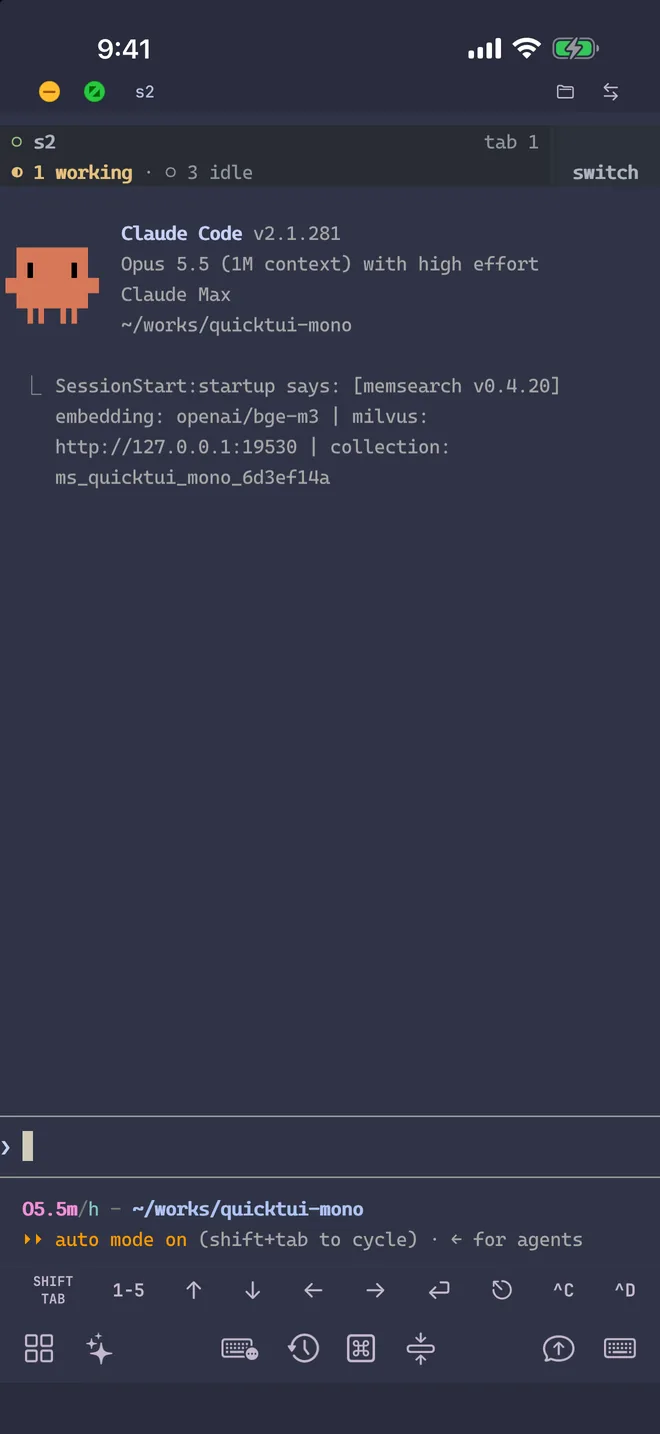
Compilers, repositories and agents all run on your workstation, home computer or cloud server. Nothing heavy runs on the tablet, and the session you open on the iPad is the same one you use at your desk.
Get set up
- Install QuickTUI from the App Store and open the setup wizard. The same app runs on iPhone and iPad.
- Choose Connect Over SSH — Enable Enhanced Features (Recommended) and enter the SSH login of the Mac or Linux computer that holds your code.
- Tap Install. The app installs the QuickTUI server over SSH and pairs automatically. If your computer has neither tmux nor Herdr, it installs Herdr.
On a Mac or Linux computer without SSH access, run the install command on the computer, then pair by scanning a QR code:
curl -fsSL https://quicktui.ai/q.sh | shOn Windows, get QuickTUI Server from Microsoft Store, open it from the Start menu and scan the QR code it shows. Sessions on Windows run in Herdr, which you install separately; see Windows in the install guide.
Traffic between the iPad and your computer is end-to-end encrypted, and the app connects directly to your computer by default. See the install guide for details.
A Desktop-Class Mobile Terminal
- Hardware keyboard
- With a Magic Keyboard or any Bluetooth keyboard, arrow keys, modifiers and Control combinations go straight to the terminal, so your editor and shell key bindings work as usual.
- Shortcuts Bars
- Set up to three Shortcuts Bars for the keys and combinations you use most, such as Esc, Tab and Control sequences. Hold a key to repeat it.
- Sessions, windows and panes
- Your tmux sessions or Herdr workspaces open with their windows, panes and scrollback. Long builds and agent runs keep going on the computer when you close the app.
- Copy and themes
- Select text to copy it, or use Smart Copy to join a wrapped selection into a single line. Choose separate terminal themes for light and dark mode.
Files, previews and uploads
- File Manager
- Browse, upload and download files on your computer. File browsing is off by default; enable it in the app first. On macOS, you may also need to allow the QuickTUI server in Files & Folders or Full Disk Access (see the FAQ).
- Preview your dev server
- Forward the port your dev server listens on and open it in the built-in browser, which can switch between mobile and desktop layouts. A port scan shows which ports are listening on the computer.
- Attach files to the terminal
- From the Input Bar, attach a file, an image or a new photo. It's uploaded to your computer and its path is inserted into your input, ready to pass to an agent.
Run coding agents from the iPad
Start Claude Code, Codex, OpenCode or any other CLI agent by typing its command, or open the Agent Wizard, pick the agent, model and working directory, and it opens in a new window or tab. The command palette has ready-made commands for common agents, tmux and Herdr. See controlling AI agents from your phone for the full list of supported agents.
QuickTUI also has an Android (Preview) app that connects to the same server.
FAQ
Can you do real development on an iPad?
Yes, if the code and tools run on a computer and the iPad connects to it. With QuickTUI, you work in a live terminal on that computer, edit and run code there, and preview web apps through port forwarding.
Does QuickTUI support a hardware keyboard on iPad?
Yes. Arrow keys, modifiers and Control combinations from a Magic Keyboard or Bluetooth keyboard go straight to the terminal.
How do I preview a local dev server on my iPad?
Use port forwarding: forward the dev server's port and open it in the app's built-in browser. You can switch the browser between mobile and desktop layouts.
Do long builds keep running if the iPad goes to sleep?
Yes. They run in tmux or Herdr on your computer. When you return, the app reconnects to the same session.